
Printable vocabulary worksheet and quiz maker
Worksheet Generator for iPhone and iPad
Paste a word list or a question list and export a practice PDF. Worksheet Generator is built for vocabulary worksheets and short quizzes you print and write on.
For iPhone and iPad (iOS/iPadOS 15.1+). Public version 1.0.20, checked 2026-11-07. Free to download. Premium prices and any free allowance are shown in the app before purchase. App Store listing

Open the app demo
See it in action
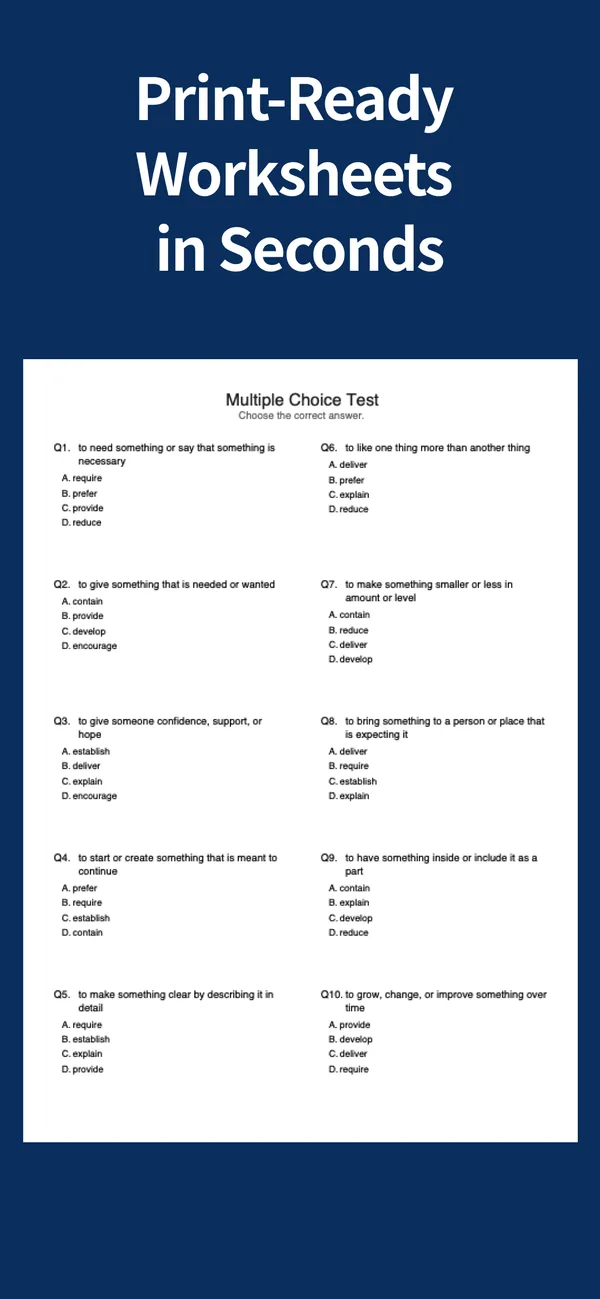
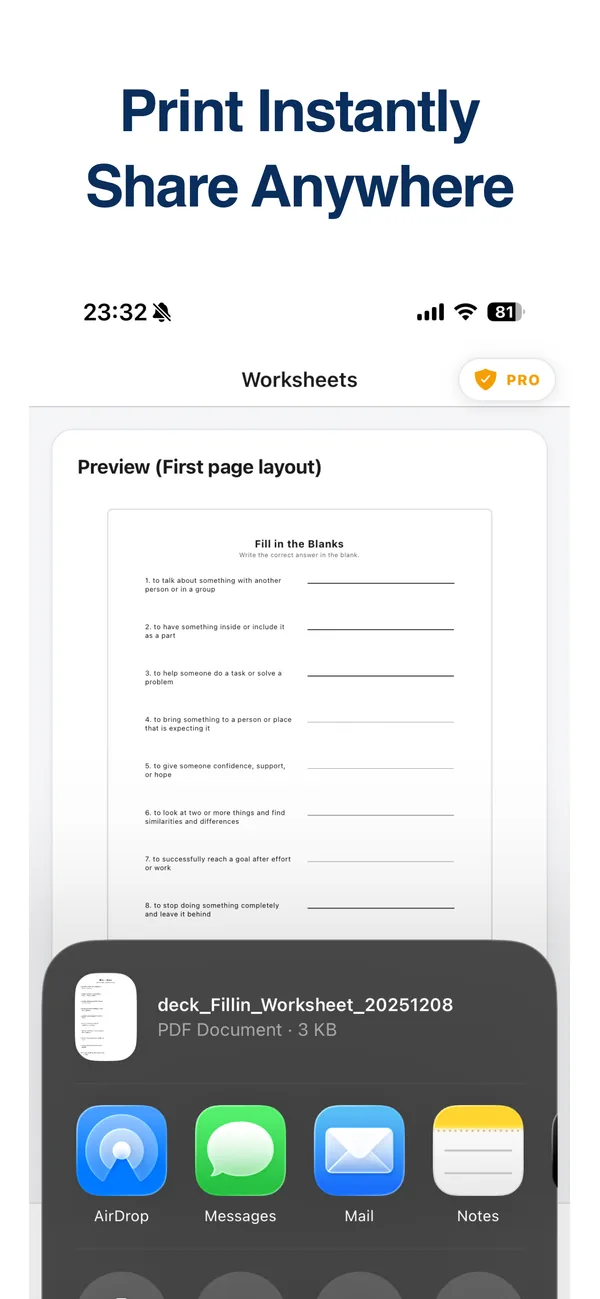
Screenshots from Worksheet Generator, including paste, a multiple-choice page, a fill-in preview, and the Pro layout screen.
How the worksheet generator works
Worksheet Generator is an iPhone and iPad app that turns a word list or a question list into a printable vocabulary worksheet or a short quiz. FlashPrint, a separate app, makes double-sided study cards. This one makes practice on paper: a prompt, a place to write, and an answer key in the same PDF or in its own file.
The slow part is usually the layout. The words already live in notes, a spreadsheet, or a chapter summary. Rebuilding that list in a document means fixing spacing, numbering, and page breaks whenever the list changes. Paste a consistent list, preview the page, and export a PDF when the preview looks right. You still choose the words. The app only arranges them.
What you paste
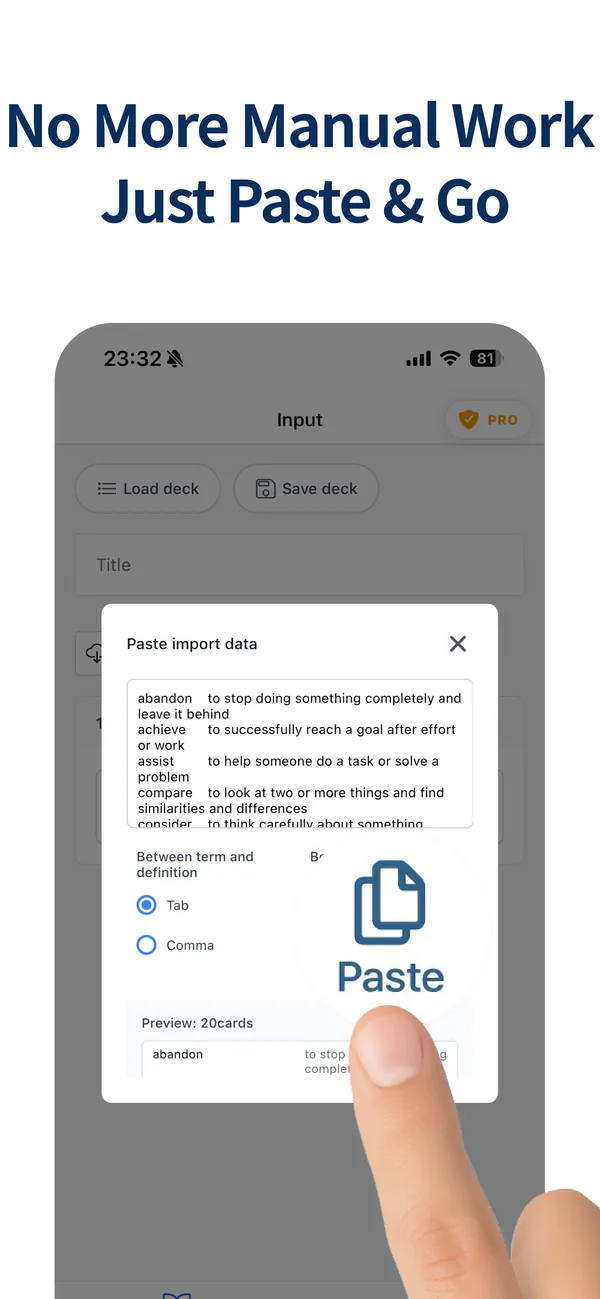
Use one pair per line. Put a tab between the term and the definition. Copying two spreadsheet columns usually inserts that tab for you. Choose a comma only when the words themselves contain no commas. The paste screen in the screenshots lets you pick tab or comma and shows a preview of the rows. That screen also has load and save for a deck, so you can reopen a list instead of pasting it again.
Ready-made templates inside the app are for a quicker start. They are not the blank flashcard files on this website. Bulk CSV import for a large set is premium. A short class list does not need it.
Six practice formats
After the list is in, pick a format. The App Store listing names these six. One vocabulary list can become a fill-in sheet or a multiple-choice quiz without retyping. The screenshots show a two-column multiple-choice page and a fill-in page with a line beside each prompt.
- Fill-in-the-blank
- Multiple choice
- Matching
- Word search
- Crossword
- Mixed test
The PDF and the answer key
Put the answer key in the same PDF or in a separate file. Teachers often want those as two files: one to hand out and one to keep. Paper size is A4 or US Letter. The listing also says worksheets can be printed in more than one language.
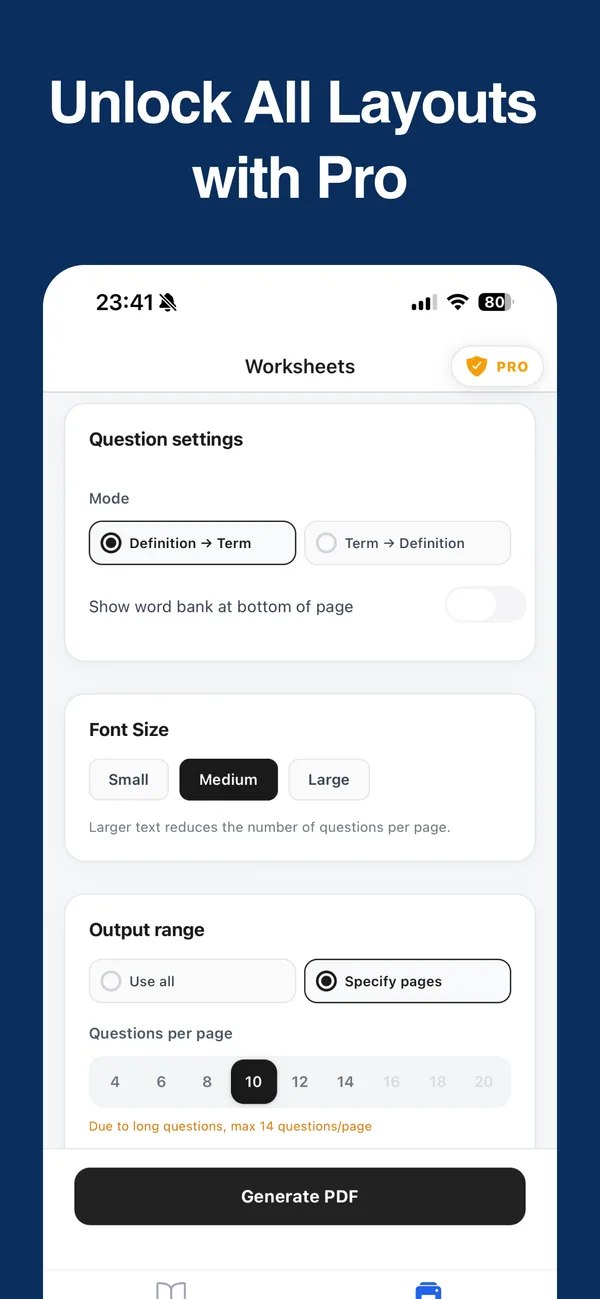
The layout screenshot, labeled Pro, shows question direction (definition to term, or term to definition), a word-bank switch, font size, questions per page, and a page range. Treat those controls as premium and confirm them in the app before you pay.
Free download and premium
The app is free to download. The listing says you can generate a first PDF immediately, and that premium unlocks the items below. It does not publish a numeric free quota or a premium price. Both are shown in the app before you pay. This page does not add a price or a star rating.
- Unlimited PDFs in all six formats
- Bulk import and CSV support for large question sets
- Question order: original sequence or shuffled
- Advanced layout: questions per page and total pages
ESL, homeschool, and class handouts
Language study is the direct fit, including ESL. A list of words and short definitions becomes a fill-in sheet or a quiz. The guide on making worksheets from a word list uses that same paste for vocabulary and spelling practice. Spelling here means printing the list as a practice sheet. It is not a separate spelling course.
Teachers and tutors can paste a lesson list and print a handout with room to write. Homeschool works the same way, one topic at a time. Exam and certification review fits a term list you are allowed to copy. There is no official syllabus, and the app does not grade the paper.
Students can print a short quiz and write away from the screen. That is a format, not a claim that paper is faster or that a score will rise.
What a finished worksheet looks like
This site does not host a worksheet PDF to download. The carousel is the product screenshots, including the multiple-choice page and the fill-in preview. Sample PDFs on the flashcard pages are FlashPrint cards, not worksheets.
Worksheet generator questions
What does Worksheet Generator make?
A printable practice PDF from a list you paste: a vocabulary worksheet or a short quiz, with space to write. It does not make double-sided flashcards. That is FlashPrint.
Which worksheet formats can I print?
The App Store listing names six: fill-in-the-blank, multiple choice, matching, word search, crossword, and a mixed test.
Can I print an answer key?
Yes. The listing says the answer key can be included in the same PDF or written to a separate file.
Is Worksheet Generator free?
It is free to download. Premium adds unlimited PDFs in all six formats, bulk CSV import, question order, and advanced layout controls. Prices and any free quota are in the app, not on this page.
Can I use it for ESL, homeschool, or a class?
Yes, when you already have the list. Typical uses are vocabulary and language study, a homeschool topic, a teacher or tutor handout, and exam or certification review. You supply the content.
Ready to print a practice sheet?
Download Worksheet Generator and turn a question list into a PDF you can print. Check the premium price in the app before you buy.